
Apps & Software
How to Write a Requirements Document Before Building an Application
A good requirements document does not have to be technical. The following eight parts are enough for a vendor to understand your problem, give quotes that can be compared, and reduce changes midway.
SEO and Content Specialist
4 min read
Short answer: an application requirements document only needs to cover eight things: the goals and problem to be solved, the users and roles with their rights, the workflow as it is now and as you want it, the data to be managed, the reports needed, integrations with other systems, constraints (time, budget, rules), and measures of success. You do not need to write technical specifications; what a vendor needs is an honest picture of the problem.
Many application projects run into trouble not because of the development, but because the requirements were never written down clearly. The vendor guesses, quotes cannot be compared, and changes keep appearing midway. The good news is that a useful requirements document does not have to be written by a technical person. It needs to be written by the person who knows the process most closely.
Why a requirements document matters
A requirements document has three functions. First, it aligns understanding internally: different divisions often have different pictures of the same system. Second, it makes quotes from several vendors comparable, because they all answer the same requirements. Third, it becomes the reference when something changes: what was in the original scope, and what is a new request.

The eight parts of a requirements document
| Part | Question answered | Example contents |
|---|---|---|
| Goals and problem | Why is this system needed? | “Purchase requests wait an average of a week because approvals go through email” |
| Users and roles | Who uses it, and what are they allowed to do? | Staff submit, department heads approve, finance processes |
| Workflow | How does the process run, now and later? | A diagram of the steps from request to completion, including exceptions |
| Data | What data is entered, stored, and where does it come from? | Request forms, attachments, supplier data |
| Reports | What information needs to be seen, by whom, how often? | A monthly recap per division for management |
| Integrations | Which systems must be connected? | Accounting application, email, company login |
| Constraints | What is not negotiable? | Deadline, estimated budget, internal rules or regulations |
| Measures of success | How will you know the system worked? | Approval time drops to two working days |
How to gather the contents
- Interview the people who run the process, not only their supervisors. Shortcuts and exceptions are usually known only to those doing the work.
- Collect the documents used today: forms, spreadsheets, sample reports, and approval emails. Real documents are more honest than descriptions.
- Write down the exceptions. What happens if a request is rejected, if the approver is on leave, or if the data is wrong. Exceptions are often the source of the biggest changes midway through a project.
- Separate must-have from nice-to-have. Mark the features that must be in the first version and those that can follow. This makes it easier for the vendor to plan stages and budget.
- Ask every division to read the draft before it goes to the vendor.
If the process still runs in a spreadsheet, the article Signs Your Business Process Has Outgrown Spreadsheets helps map the most expensive problems first.
A short template you can use right away
Copy this outline into a new document, then fill in each part with simple sentences:
- Background: which process is being discussed, who runs it, and which problem is felt most right now.
- Goals: two or three outcomes you want to reach, preferably measurable.
- Users and roles: a table of roles, the number of people, and what each is allowed to do.
- Workflow: step by step from start to finish, including exceptions and who acts at each step.
- Data and documents: form fields, attachments, and sample files used today.
- Reports: what needs to be seen, by whom, and how often.
- Integrations: other systems involved and what data is exchanged.
- Constraints and priorities: deadline, estimated budget, rules that must be followed, and a list of must-have features and those that can follow.
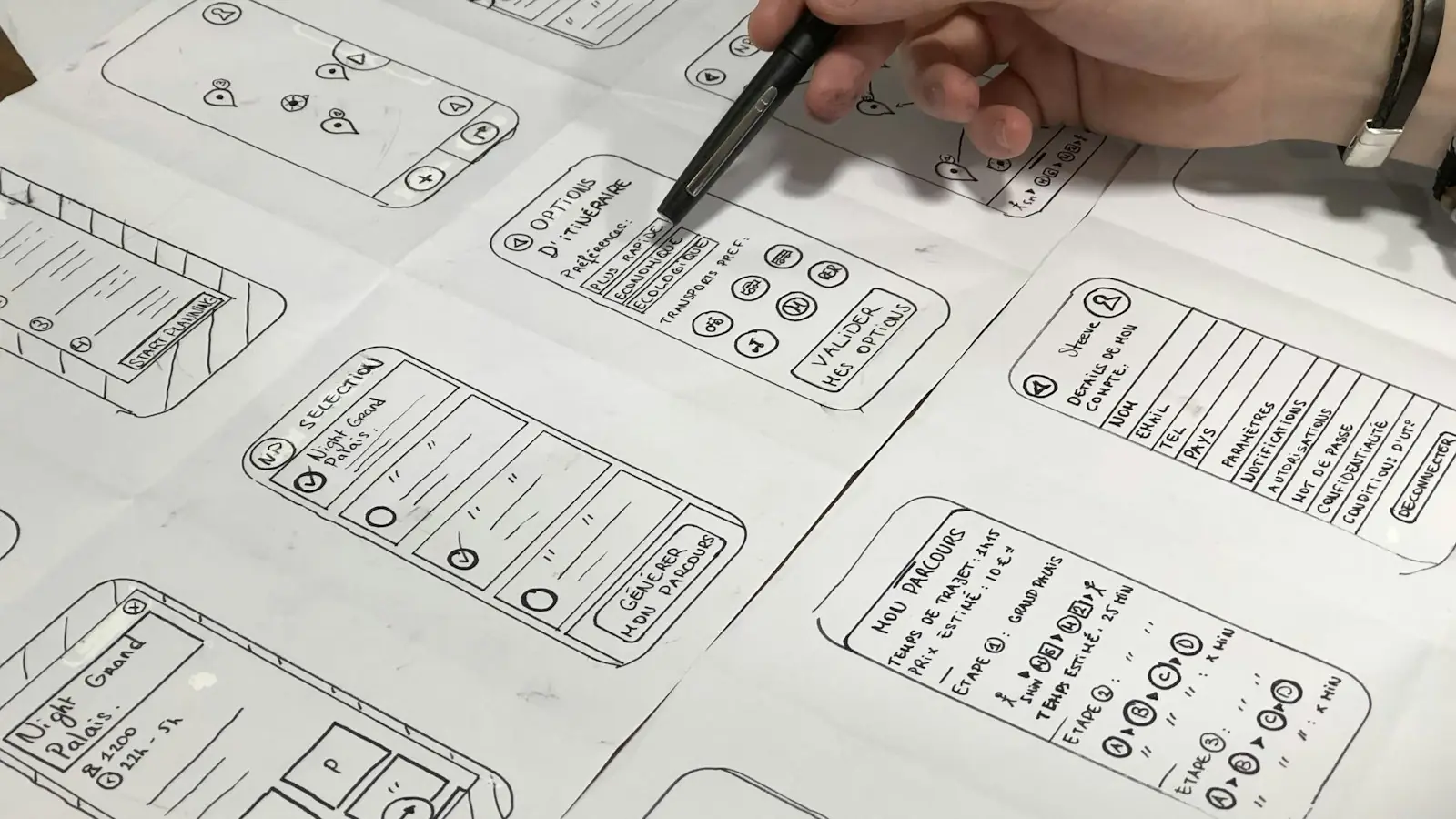
Attach a workflow diagram, even if it is hand-drawn and photographed. One workflow diagram often answers questions that would take pages of text.
Common mistakes
- Writing the solution, not the problem. “Need an export-to-Excel button” is narrower than “finance needs a monthly recap per division”. The problem leaves room for a better solution.
- Copying features from other applications without explaining why they are needed.
- Forgetting access rights. Who may view and change data is often discussed only after the system is built, yet changing it at the end costs more.
- Not stating the budget limit. Without an idea of the budget, a vendor cannot suggest stages that make sense.
How Legia does it
You do not have to arrive with a complete document. In the Web Application Development service, the first stage is requirements mapping over 1 to 2 weeks: Legia interviews the operations team and studies sample documents used today, then prepares a scope document and a cost estimate. The next stage is a clickable prototype, approved before development begins. If requirements change midway, the change is recorded as a separate request, assessed for its impact on time and cost, and agreed before the work is done. If you are not sure a custom application is the answer, first read Custom Application, Ready-Made Software, or Spreadsheet.
Frequently asked questions
How long should a requirements document ideally be?
Long enough to answer the eight parts above. For a mid-sized system, a few pages plus a workflow diagram and sample documents are usually enough.
Do we need to name specific technologies?
No, unless there is a strong reason, for example the system must run on an existing server or your internal team will continue development with a particular technology.
What is the difference between a requirements document and a scope document?
A requirements document is written from your side: the problem, users, and process. A scope document is prepared together with the vendor after mapping: what will be built, the stages, and the estimated cost.
Do you have workflows that spreadsheets and email can no longer hold? See Legia application and software services, or schedule a consultation through the contact page.