Apps & Software
What Are SAST and DAST? Differences and When to Use Each
SAST checks source code without running it, while DAST tests a running application from the outside. They complement each other, and the order you set them up in matters for a small team.
SEO and Content Specialist
3 min read
Short answer: SAST (Static Application Security Testing) is a security check that reads source code without running it, while DAST (Dynamic Application Security Testing) tests a running application from the outside, without needing its source code. SAST points to where the problem sits in the code, DAST shows how the application reacts to malicious input. They complement each other, and small teams usually set up SAST first, then a light DAST run on a test environment.
These two acronyms often appear in application vendor proposals or tender security checklists, and are often treated as the same thing. In fact they test different sides of an application. This article answers one question: what is the difference between SAST and DAST, and which one is needed first. How to combine them in a release flow is covered in DevSecOps for Small Teams.
What is SAST?
SAST is also called static code analysis or source code analysis. OWASP defines it as examining code without running the program, usually as part of a code review (white-box). The tools can be installed in a code editor or in a CI/CD flow, so they can run repeatedly, for example every night or on every code change. The result points to the file, the line number, and sometimes the snippet of code with the problem. SAST is fairly good at finding flaws with known patterns, such as SQL injection and buffer overflows.
Its weaknesses, according to OWASP: SAST tools produce many false positives, automatically detect only a small percentage of an application’s flaws, struggle to find authentication problems, access control issues, and insecure cryptography, and often miss configuration issues because the settings are not in the code.
What is DAST?
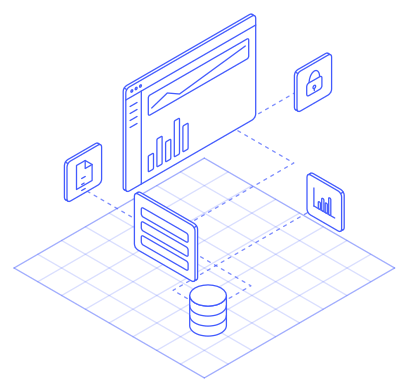
DAST is a black-box method that tests a running application by sending malicious payloads, without needing the source code or knowledge of the framework in use. According to OWASP, DAST is especially useful for input and output validation, authentication problems, and server configuration mistakes, and it finds flaws such as SQL injection and XSS. Once configured, it needs almost no interaction and can run as a nightly scan. An open tool example is ZAP (Zed Attack Proxy) from OWASP.
Because DAST does not read code, its results describe the behavior of the application, not the lines of code that need fixing. Developers still have to trace the source themselves.
SAST and DAST side by side
| Aspect | SAST | DAST |
|---|---|---|
| What is examined | Source code or its compiled output | The running application |
| Viewpoint | White-box, from the inside | Black-box, from the outside |
| Needs source code | Yes | No |
| Form of result | File and line of code | Application behavior in response to malicious input |
| Good at finding | Flaw patterns in code, risky coding habits | Input flaws such as SQL injection and XSS, server configuration mistakes |
| Usable from | As soon as there is code | Once the application runs on a test environment |
Which one to set up first?
For a small team the order is usually secret and dependency scanning first. OWASP suggests running third-party dependency analysis (SCA) before SAST and DAST, and recommends combining SAST with SCA and infrastructure configuration scanning. After that, set up SAST on your own code, then a light DAST run. The ZAP Baseline Scan suits this stage: a passive scan with no actual attacks, designed for CI/CD flows and finishing in a few minutes.
Remember the limits. These two automated tools catch known patterns. To judge whether flaws can be chained into real access, you still need testing by people, which is covered in Vulnerability Assessment or Penetration Testing.
In the DevOps & CI/CD service, Legia makes vulnerability scanning part of the release flow, with a scope agreed during the flow-mapping stage. Other services in this pillar are on the Applications & Software page.
Sources
- OWASP DevSecOps Guideline, Static Application Security Testingowasp.github.io
- OWASP DevSecOps Guideline, Dynamic Application Security Testingowasp.github.io
- OWASP DevSecOps Guideline, Software Composition Analysisowasp.github.io
- OWASP, Source Code Analysis Toolscommunity.owasp.org
- ZAP, Baseline Scanzaproxy.org