Apps & Software
DevSecOps for Small Teams: Vulnerability Scanning in the Release Flow
DevSecOps puts security checks in the same release flow as testing. A small team does not need to install everything at once: here is the order of checks to add first, what they find, and how to handle the results.
SEO and Content Specialist
6 min read

Short answer: DevSecOps is the practice of placing security checks inside the same release flow as testing, so flaws are found before the code reaches users rather than after. A small team does not need to install everything at once. Start with three automated checks: secret scanning (keys and passwords that slipped into code), dependency scanning (third-party libraries with publicly disclosed flaws), and SAST for your own code. Add a light DAST run on a test environment, then tighten the rules gradually.
A company with a development team of three to ten people has usually already learned to release an application fairly cleanly, but security checking is still a single test just before launch. After that the code changes every week and nobody checks again. DevSecOps for a small team is not about buying as many tools as possible. What you want is a few automated checks that run on every change, with results that reach the right person and do not make releases stall. This guide covers which checks go in first, the order to install them, and how to handle findings so they do not pile up.
What is DevSecOps, and where does it sit in the release flow?
DevSecOps is the continuation of a CI/CD flow: security checks run at the same stage as the build and the tests, not as separate work at the end. If you do not have a CI/CD flow yet, start there first by reading What Is CI/CD and When Does a Development Team Need It.
Two open references explain the direction. NIST SP 800-218 (Secure Software Development Framework, February 2022) describes secure development as a core set of high-level practices that can be built into any software development life cycle model, with the aim of reducing the number of vulnerabilities in released software. The OWASP DevSecOps Guideline states its goal as detecting security issues, whether from design or application vulnerabilities, as fast as possible, and its main parts are pre-commit, vulnerability scanning, and compliance auditing.
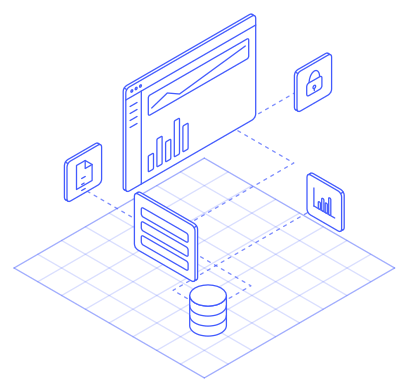
Which checks exist, and when does each one run?
| Check | What it looks for | Runs at | Example tools named by OWASP |
|---|---|---|---|
| Secret scanning | API keys, passwords, and tokens in code or git history | Before commit and in the release flow | git-secrets, truffleHog |
| SCA (Software Composition Analysis) | Third-party libraries with publicly disclosed flaws, plus license information | Early in the flow, before SAST and DAST | OWASP Dependency-Check, RetireJS |
| SAST (Static Application Security Testing) | Flaws in your own code without running it | On the changed code | Semgrep, SonarQube |
| DAST (Dynamic Application Security Testing) | Flaws in the running application, from the outside | On a test environment, can run overnight | OWASP ZAP |
Container and infrastructure scanning are also on the OWASP list and can follow once the four checks above are running. The difference between SAST and DAST is covered in more detail in What Are SAST and DAST?.
The order to install them in for a small team
Install one check, handle its findings, then add the next. A sensible order:
- Secret scanning. OWASP names the pre-commit stage as the best place to detect secrets, because a key that has entered git history stays there and can remain visible on code hosting platforms even after deletion. If a credential leaks, treat it as compromised and revoke it. GitHub has a push protection feature that blocks pushes containing secrets before they enter the repository. Developers can bypass it by giving a reason, and the bypass is recorded in the audit log, so the team needs a rule about who may bypass it.
- Dependency scanning (SCA). OWASP recommends running SCA early in the life cycle, before SAST and DAST, and monitoring libraries continuously. OWASP Dependency-Check looks for publicly disclosed vulnerabilities in a project’s dependencies and supports Java, .NET, JavaScript, and Ruby. For other languages, check the tool’s support first.
- SAST on your own code. Choose a tool that supports your team’s programming language, since OWASP names language support as the first prerequisite when selecting a tool.
- Light DAST on a test environment. The ZAP Baseline Scan is designed for CI/CD flows. By default it runs the spider for one minute, then waits for the passive scan to finish, performs no actual attacks, and its documentation says the script runs for a few minutes at most.
Do not jump straight to active scanning against production. Run it first on a test environment whose data is not customer data.
Handling findings so releases do not stall
A check that blocks every release over a small finding will be switched off by the team within a week. A few habits help:
- Start in report mode. ZAP Baseline, for example, reports all findings as warnings by default, and a configuration file can turn specific rules into failures or ignore them. In the first phase, just collect findings without stopping releases.
- Block only the serious ones. Once the old findings are cleaned up, make only leaked secrets and high-severity dependency vulnerabilities fail the build.
- Be ready for false positives. OWASP notes that SAST tools produce many false positives and that it is hard to prove a given finding is a real vulnerability. Provide a way to mark a finding as assessed safe, with the reason attached.
- Assign an owner. Every finding has one person responsible and a deadline. A list of findings without owners grows until nobody opens it.
- Watch the effect on releases. Release frequency and change failure rate before and after scanning is added show whether your flow is slowing down. The four numbers used are in Four DORA Metrics.
What automated scanning does not replace
Automated scanning catches known patterns. OWASP notes that SAST tools struggle to automatically find authentication problems, access control issues, and insecure use of cryptography, and often miss configuration issues because they are not written in the code. So scanning in the release flow is not a substitute for testing by people. To decide when you need periodic vulnerability checks and when you need a penetration test, read Vulnerability Assessment or Penetration Testing.
What Legia does in the release flow
In the DevOps & CI/CD service, vulnerability scanning and key and secret management become part of the release flow that Legia sets up, with access set per role and the results of checks recorded. The scope of the checks is agreed during the flow-mapping stage. Legia measures four numbers before and after the work (release frequency, time from finished code to running on the server, recovery time after a bad release, and release failure rate), uses common open tools, keeps configuration as code in your repository, and hands it to your team with training. The whole process, from mapping to handover, takes 9 to 15 weeks.
Frequently asked questions
Does a team of only three people need DevSecOps?
Yes, in a small form. Secret and dependency scanning are as useful for a team of three as for a team of thirty, and both run automatically once installed. Heavier checks can wait until the application changes often or holds sensitive data.
Do we need a CI/CD flow first?
Yes, in a simple sense: somewhere that runs the build and tests automatically whenever the code changes. Security checks ride on the same place, so without it scans must be run by hand and are quickly abandoned.
Is DAST in the release flow the same as penetration testing?
No. Automated DAST tests a running application with known patterns, while penetration testing is done by people who chain flaws together and judge the impact. The ZAP Baseline is even only a passive scan with no actual attacks.
What if the old findings already number in the hundreds?
Do not clear them all at once. Record everything as the baseline, block only new serious findings, then work through the old ones by severity.
Sources
- NIST SP 800-218, Secure Software Development Framework (SSDF) Version 1.1csrc.nist.gov
- OWASP DevSecOps Guideline, Secrets Managementowasp.github.io
- OWASP DevSecOps Guideline, Software Composition Analysisowasp.github.io
- OWASP DevSecOps Guideline, Static Application Security Testingowasp.github.io
- OWASP, Source Code Analysis Toolscommunity.owasp.org
- GitHub Docs, About push protectiondocs.github.com
- ZAP, Baseline Scanzaproxy.org
To tidy up your release flow and put security checks inside it, see the DevOps & CI/CD service in the Applications & Software pillar.